Free for ERLC private serversWorks with the ERLC server API

Moderation and management for ERLC servers.

Catch rule-breakers automatically, keep every log, track your staff, and run it all from Discord.

Free for unlimited servers. Set up in two minutes.

By logging in you agree to the Terms and Privacy Policy.

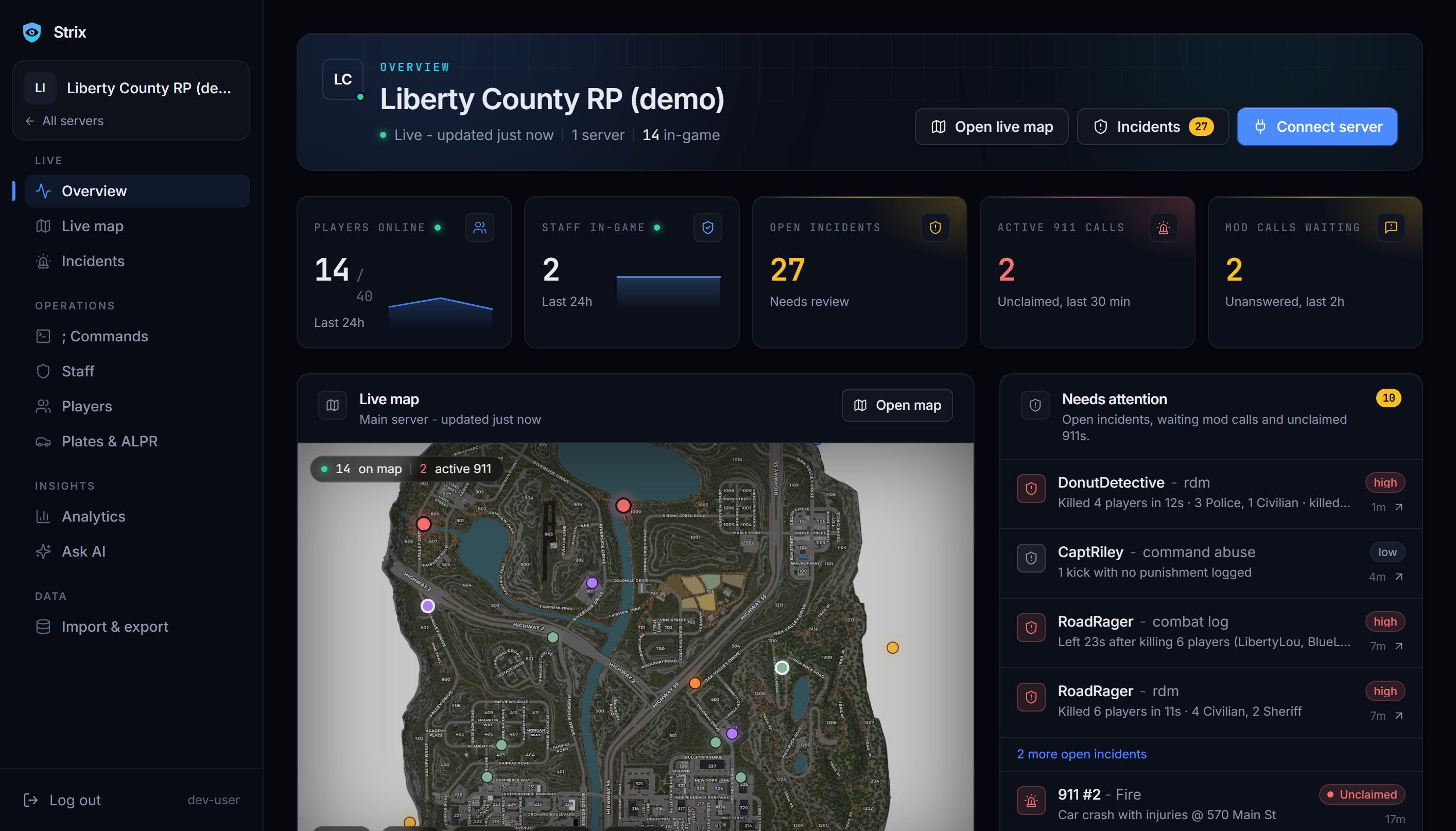
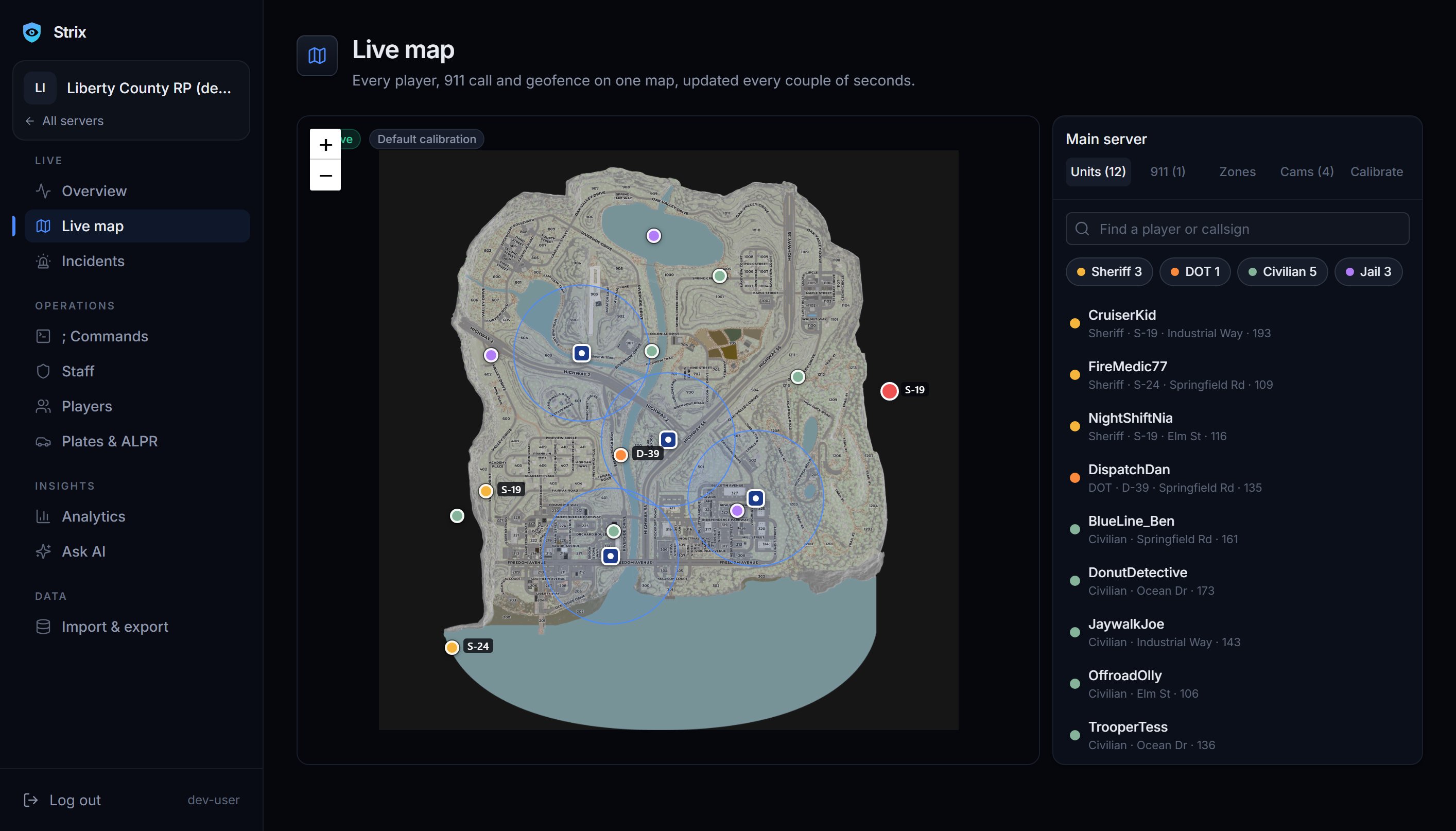
The Strix live map: every unit plotted on the county map, with a searchable list of players, callsigns and streets
  • RDM spree detected · RoadRager · 4 kills in 70s
  • 911 #14 claimed by S-24
  • Flock hit · MCK100 · STOLEN
  • Shift started · Sgt_Maple
  • Combat log · Civ_Sarah left 57s after a kill
  • ;panic from OfficerHale · Police
  • LOA approved · Reyes · Oct 24 to Oct 28
  • Mod call answered in 0:48 · Marsh
  • Command abuse · 1 kick with no punishment logged
  • Export ready · player records · CSV
  • Built for ERLC private servers
  • Works with the ERLC server API
  • Import from ERM or Ducky
  • Your data, exportable anytime

Features

What Strix does for your staff team

The jobs a staff team repeats every session, handled for you. The screenshots are the real dashboard; the Discord cards use example data.

01Moderation

Rule-breakers get flagged while it is still happening.

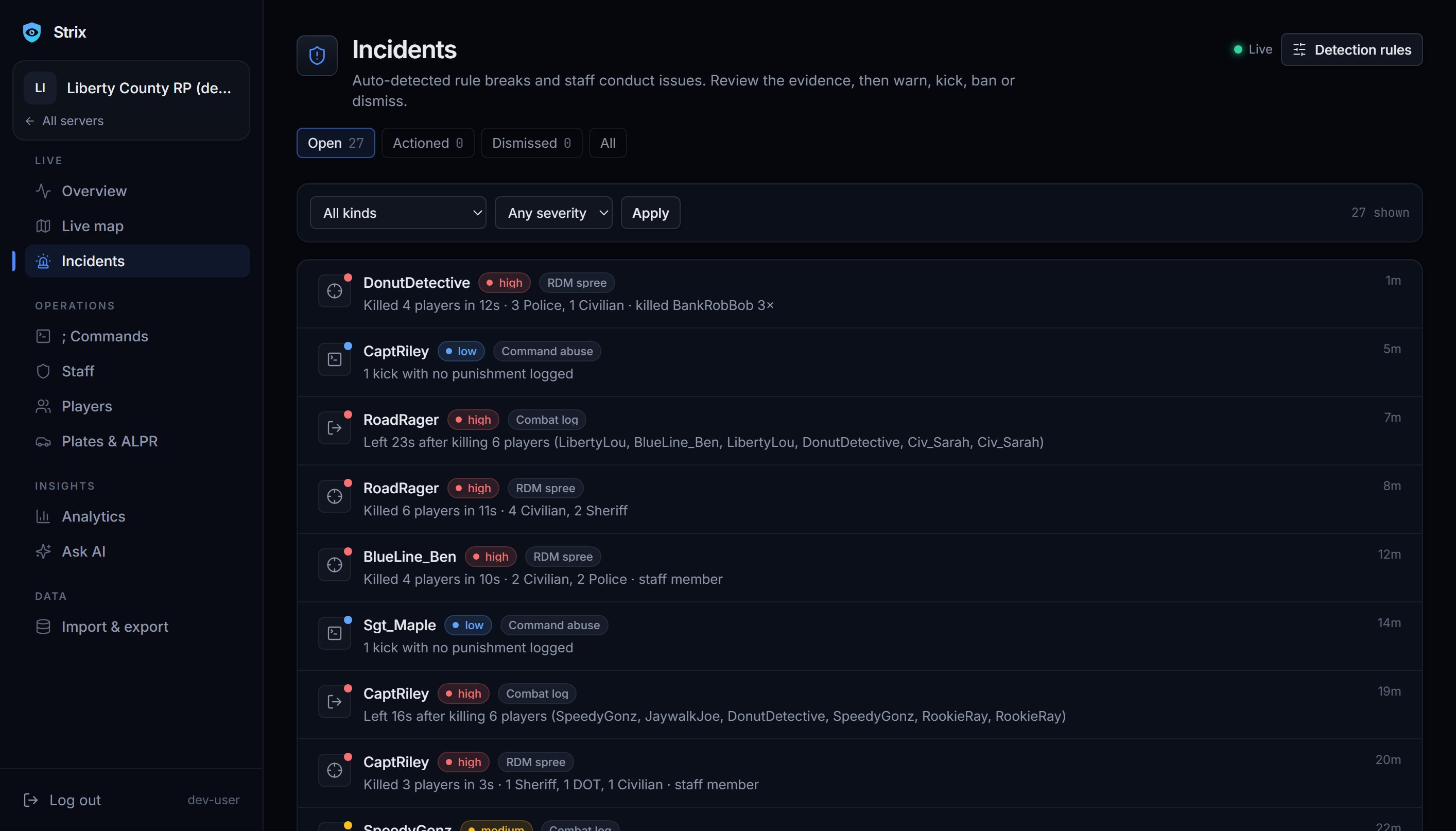
Strix watches the server's kills, joins, commands and mod calls through the ERLC private server API. When something looks wrong it posts an alert in your staff channel with the details, and Warn, Kick and Ban buttons attached.

  • RDM sprees, caught as they build up
  • Combat logging, when someone leaves mid-fight
  • Staff command abuse
  • Mod calls that nobody answered
The Incidents page listing open incidents: an RDM spree, command abuse and a combat log, each with a severity and how long ago it happened

02Logs and records

Every kill, join and command, kept for good.

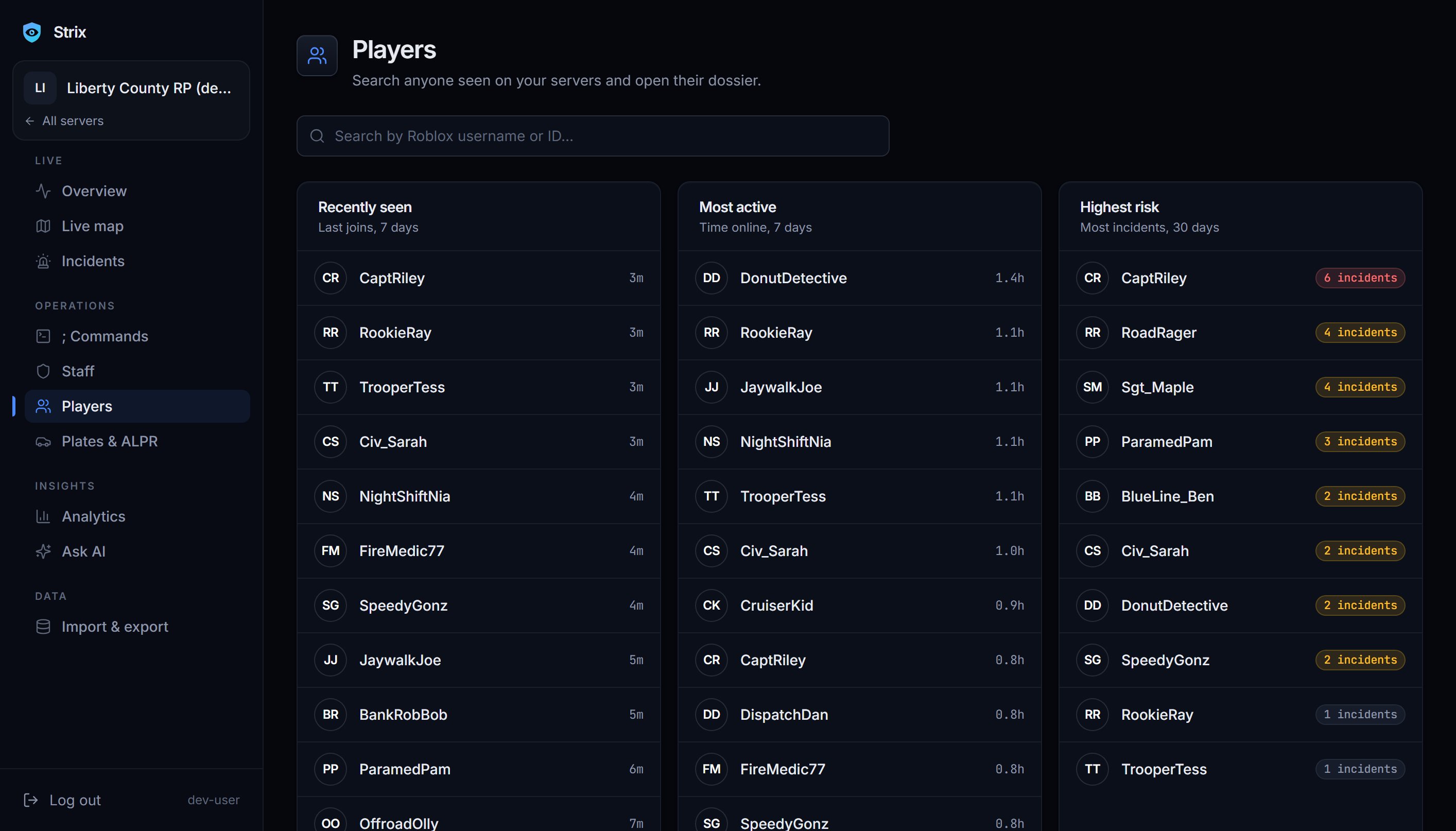
ERLC only shows recent entries. Strix stores everything it sees, so you can look up what happened last week with a search instead of a guess. Each player gets a full record with playtime, kills and deaths, past punishments and a risk score that points you at who to watch.

  • Kills, joins, commands and mod calls, all searchable
  • Punishments and notes on the same record
  • Export all of it whenever you want
The Players page with a search box and lists of recently seen, most active and highest-risk players

03Staff management

Know who is actually doing the job.

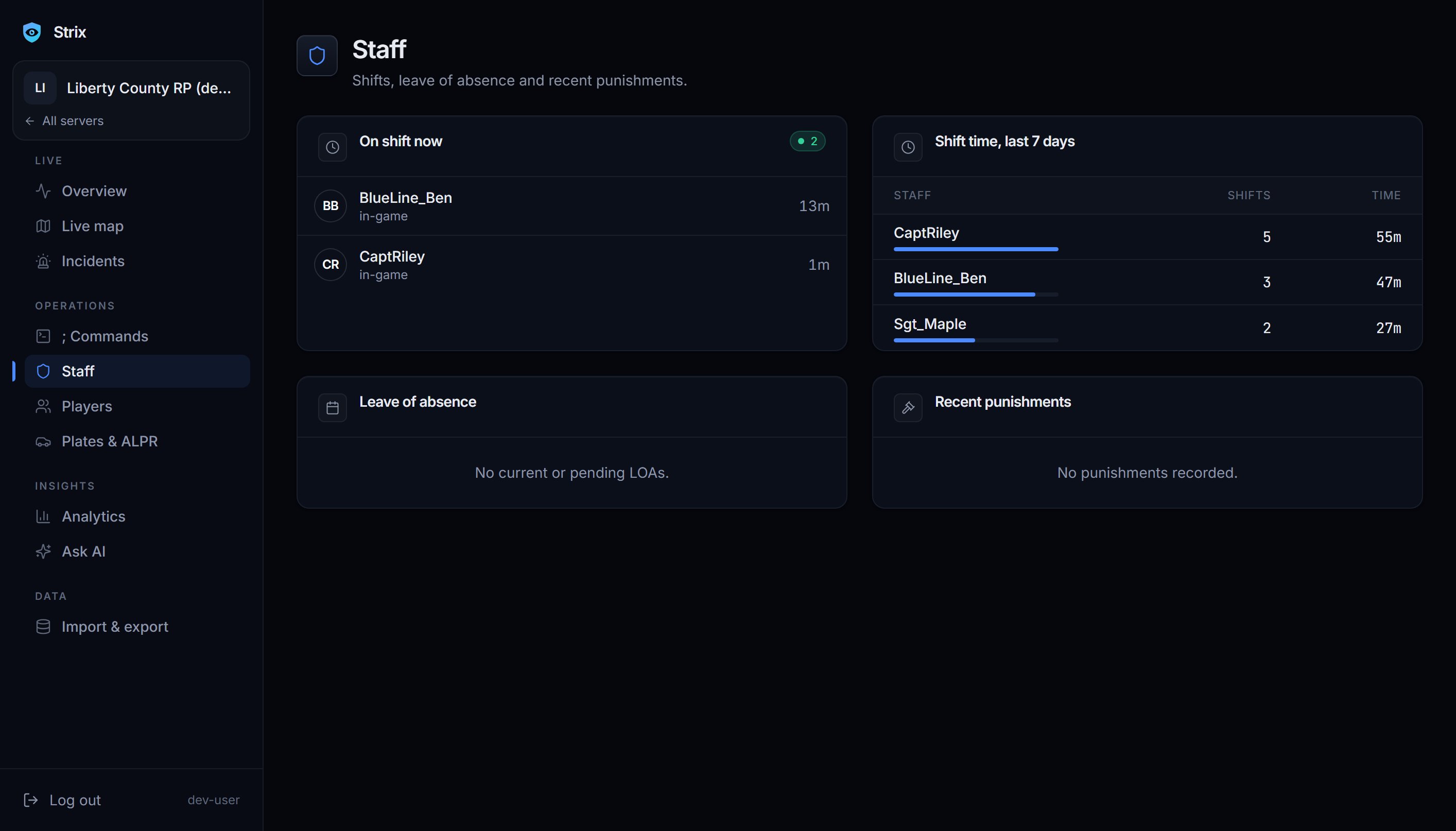
Shifts start and stop on their own from in-game time, so nobody has to remember to clock in. Staff request LOAs in Discord and you approve or deny them. Strix times how quickly each moderator answers mod calls and rolls it up into a scorecard and a weekly report.

The Staff page showing who is on shift now, shift time for the last seven days, leave of absence and recent punishments

04Custom ; commands

Let players ask for help from inside the game.

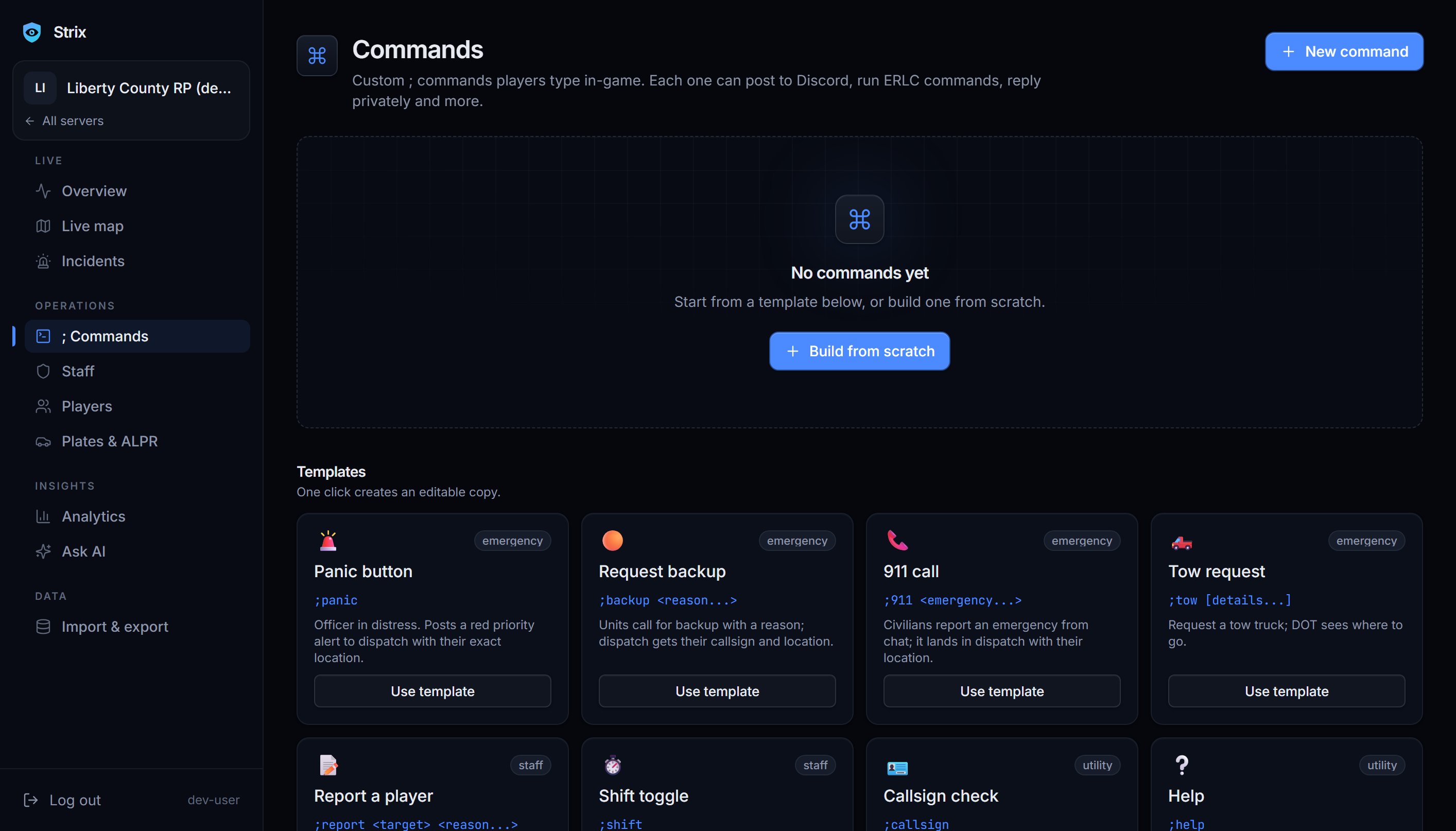
Players type ;panic, ;backup or ;report in the in-game chat, and your Discord gets it with who sent it. Build your own commands in the dashboard without writing code: pick the trigger, what it says and where it goes.

;panic;backup;report;yourcommand
The ; Commands page where custom in-game commands are built: the trigger, what it says and where it goes

05Dispatch tools

For roleplay servers that run dispatch.

If your server runs real calls, Strix gives dispatchers and officers the tools for it. None of it is required for moderation, and you can leave it switched off.

Live map
Every player, 911 call and geofence on one map, updated every couple of seconds.
911 calls
Calls arrive with the nearest units listed, and Claim and Respond buttons.
Flock cameras
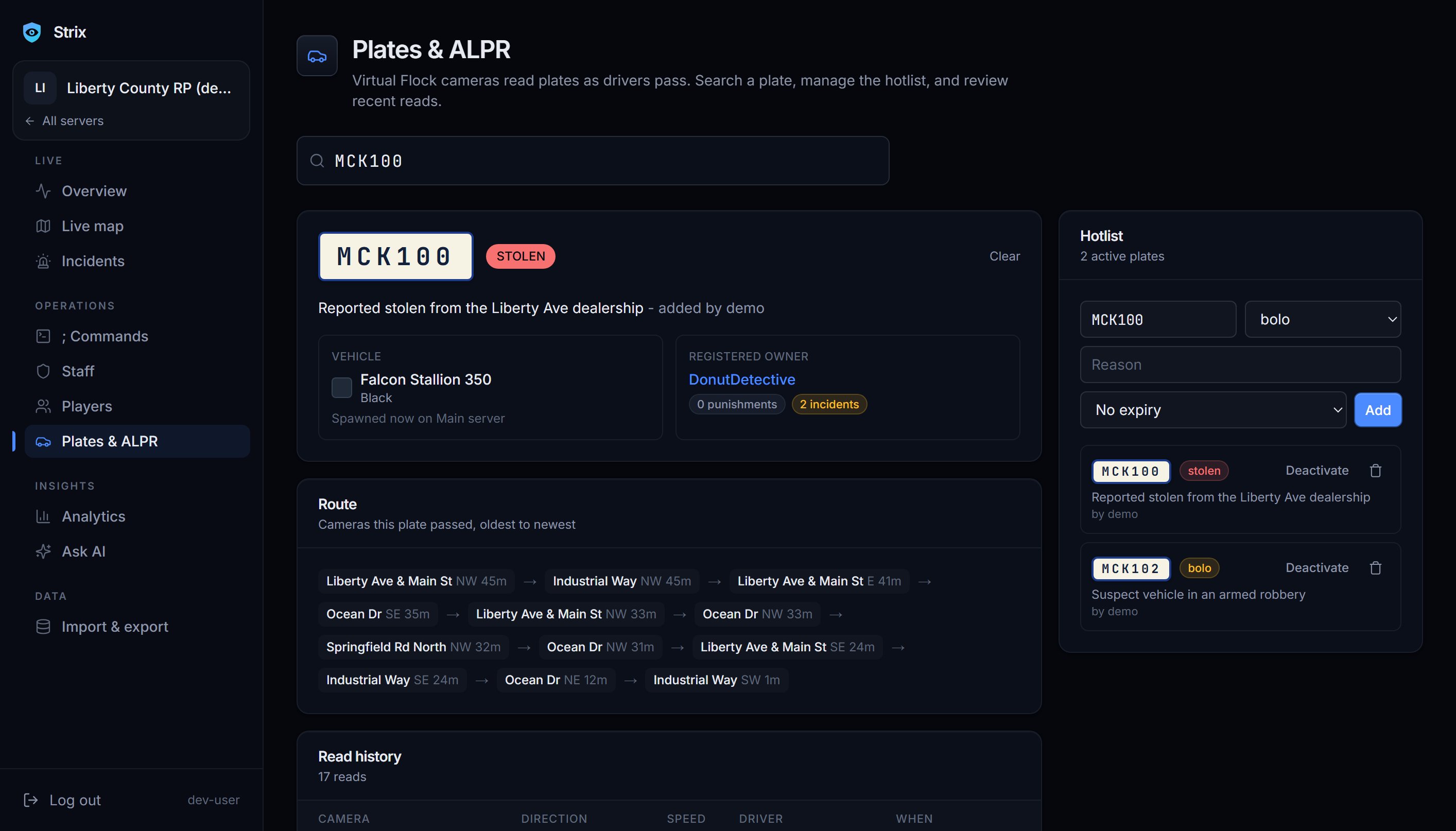
Virtual cameras read plates as vehicles pass and flag stolen ones.
The Plates and ALPR page with a lookup for plate MCK100, flagged as stolen, and recent camera hits

06Analytics and Ask

See how your server runs, and ask when the charts are not enough.

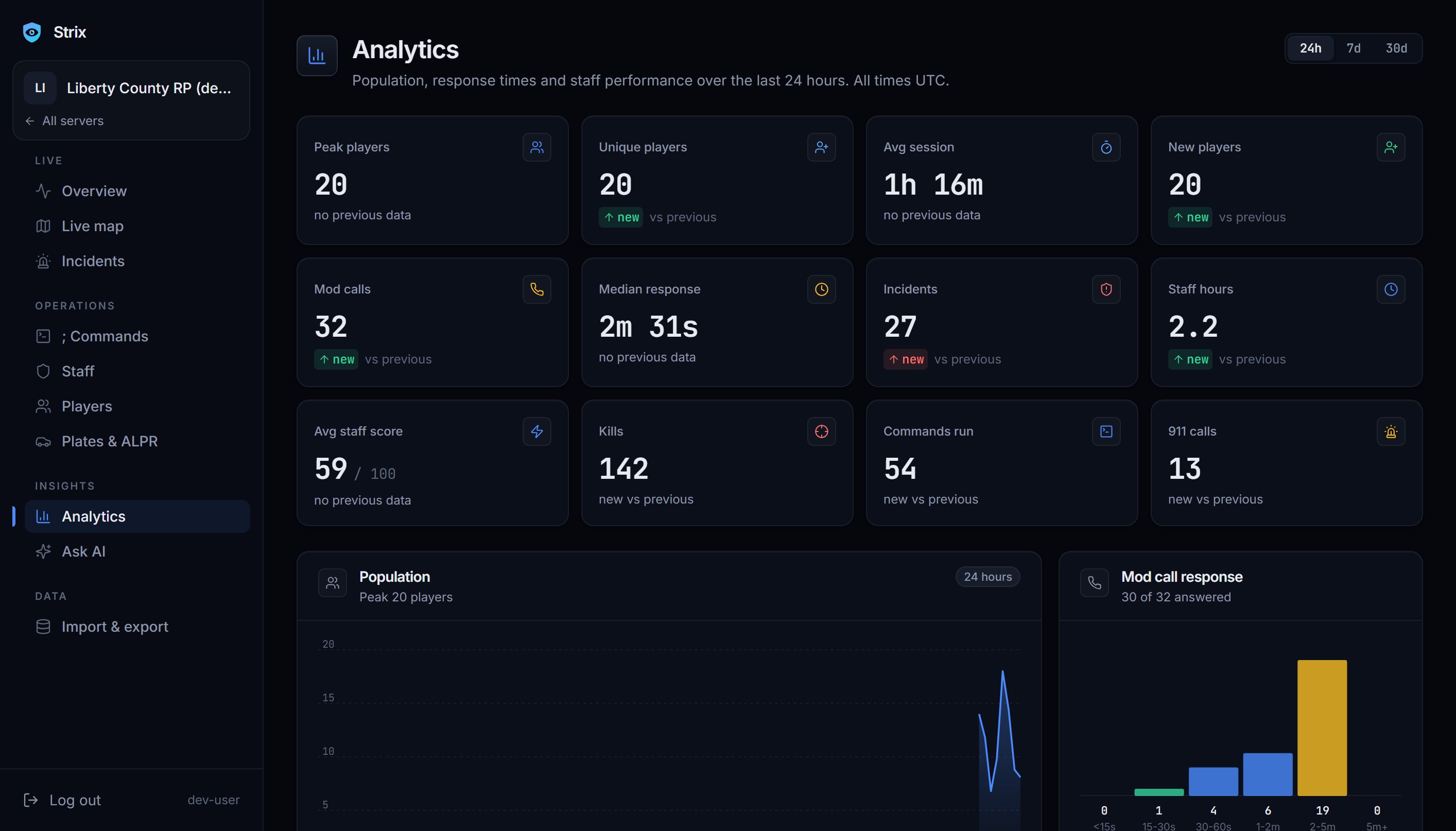
Population over time, your busiest hours and how many players come back. When you want something more specific, ask in plain English and get an answer worked out from your own server's data.

The Analytics page with KPI tiles and charts of players over time and the busiest hours

Also included

The smaller things, covered too.

Every player, one record

Playtime, kills and deaths, past punishments, notes and a risk score, searchable by Roblox username or ID.

More than one server

Connect every ERLC server you run to the same account, at no extra cost.

Warn, kick and ban

Punish from a Discord button or the dashboard. Reasons and evidence stay on the player record.

Ask in plain English

Answers worked out from your own server's data.

Shifts and LOAs

Shifts start and stop from in-game time. Staff request leave in Discord and you approve or deny it.

Import from ERM or Ducky

Bring over your shifts, punishments and LOAs so your history comes with you.

Export anytime

Download your logs and player records whenever you want. They are yours.

A hub server for help

Ask questions, see updates and try a live demo in the Strix Discord.

Light and dark themes

The dashboard follows your system setting, or you can pick one yourself.

Runs next to your bot

Reads server events through the ERLC private server API, so it works alongside the bot you use now.

How it works

Up and running in about two minutes

  1. 01

    Add the bot to your Discord

    Invite Strix to the Discord server your staff already use.

  2. 02

    Connect your ERLC server key

    Paste the server key from your private server settings. It is encrypted before it is stored.

  3. 03

    Pick your channels

    Choose where alerts, logs and mod calls go. Alerts start flowing as soon as players are on the server.

Comparison

How it compares to typical ERLC bots

Most bots cover punishments and shifts well. The difference is everything after that.

Strix compared with typical ERLC bots
FeatureStrixTypical bots
Warn, kick and ban from DiscordYesYes
Shift trackingYesYes
Staff LOAsYesYes
Automatic RDM and combat-log detectionYesNo
Permanent log historyYesNo
Live mapYesNo
Custom ; in-game commandsYesNo
Virtual Flock plate camerasYesNo
ERM and Ducky importYesNo
Unlimited servers, freeYesNo

"Typical bots" means the commonly used ERLC moderation bots. Individual bots differ, so check what yours supports.

Pricing

One plan, and it is free

Free

$0

For every server you run.

Everything on this page, including

  • Automatic moderation alerts
  • Permanent logs and player records
  • Staff shifts, LOAs and scorecards
  • Custom ; in-game commands
  • Live map, 911 calls and Flock cameras
  • Analytics and Ask
  • ERM and Ducky import
  • Unlimited servers
  • Data export, anytime

Premium extras may come later; everything here stays free.

FAQ

Questions people ask first

Is it free?
Yes. Strix is free and you can connect as many servers as you run. Premium extras may come later, but everything described on this page stays free.
How do I connect my ERLC server?
Copy the server key from your private server settings in ERLC. The server needs the ERLC API pack for the key to work. Log in to Strix with Discord, paste the key, and pick the channels you want alerts in.
Does it work with my existing bot?
Yes. Strix is a separate Discord bot that reads your server through the ERLC private server API, so you can run it next to the bot you use now while you try it, and switch over when you are ready.
Can I import from ERM or Ducky?
Yes. You can import shifts, punishments and LOAs from either one, so your staff history does not start from zero.
Is my server key safe?
The key is encrypted at rest. It is only used to talk to the PRC API on behalf of your server, and it is never shown back in the dashboard.
Where do I get help?
Join the Strix Discord. That is where setup help, updates and the live demo live.

Get it running before your next session.

Log in with Discord, add your server key and pick your channels. Free for unlimited servers.